
Get started in 5
simple steps
How it works — simple, clear, and efficient
From the moment you sign up to the final resolution, our platform guides you through every step of the support process. We've simplified ticket creation, communication, and issue tracking so you can focus on growing your business while we handle the technical details.

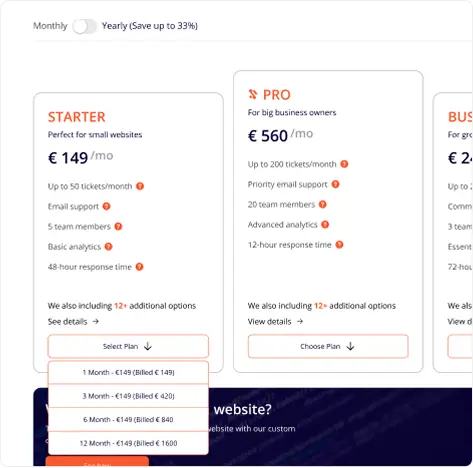
Select Your Plan & Make Payment
Select the plan that fits your needs and complete the payment. Once your payment is confirmed, we'll send you your login credentials and activate your account immediately. Payments are securely processed via Stripe.

Receive Your Credentials
After your payment is processed, we will send you your login credentials directly to your email. You can use these credentials to access your personalized dashboard and start managing your support requests
.webp)

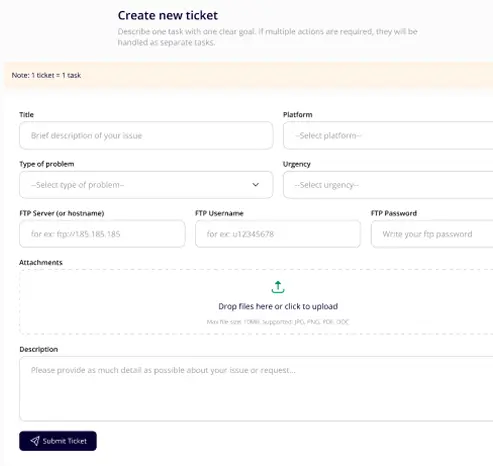
Submit Your Support Ticket or Integration Request
"Now that you're logged in, you can easily submit a support ticket or request through your personalized client portal. Whether it's a bug fix, integration request, or anything you need, our expert team will start working on it right away.

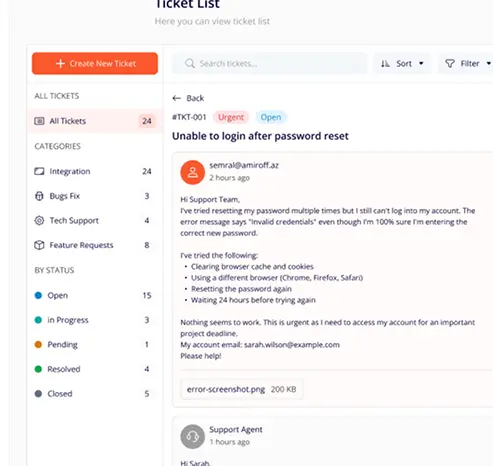
Track Progress and Get Updates
Once you've submitted your request, you can track its progress in real-time through your dashboard. We'll keep you informed with automatic updates on your ticket's status as our team works on a solution.

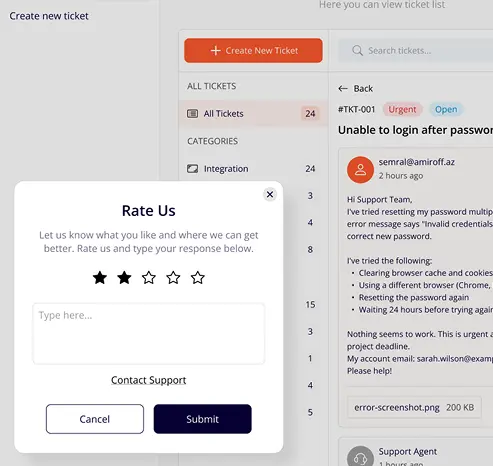
Receive Solutions & Provide Feedback
Once your issue is resolved, we'll notify you. You can then review the solution provided, rate our service, and close the ticket. Your feedback is essential for us to improve and ensure you get the best experience.
FAQ
Everything you need to know about SiteSupportPro. Can't find the answer
you're looking for?
Contact our support team.
How does SiteSupportPro work?
We handle a wide range of website issues including bug fixes, performance optimization, security vulnerabilities, design problems, functionality errors, integration issues, and general technical support. Whether it's a small CSS fix or a complex backend issue, our expert team has you covered.
What types of issues can you help with?
We support WordPress, WooCommerce, OpenCart, Laravel, and custom PHP applications. This covers bug fixes, plugin conflicts, performance tuning, API integrations, and much more.
How quickly will I get a response?
Most tickets receive an initial response within a few hours. Our team operates Monday–Friday, and urgent tickets are prioritised depending on your plan.
Can I upgrade or downgrade my plan?
Yes, you can change your plan at any time. Upgrades take effect immediately, and downgrades apply at the start of your next billing cycle.
Is there a free trial available?
Yes — your first month is completely free. No credit card required upfront. Cancel anytime with no questions asked.
How is billing handled?
Billing is monthly and automatic. You'll receive an invoice by email each cycle. We accept all major credit and debit cards via Stripe.
Do you offer refunds?
If you're not satisfied within the first 14 days of a paid plan, we'll issue a full refund — no questions asked.
Is my data secure?
Absolutely. We follow strict security practices, use encrypted connections, and never share your data with third parties. Our company is incorporated in Estonia under EU regulations.